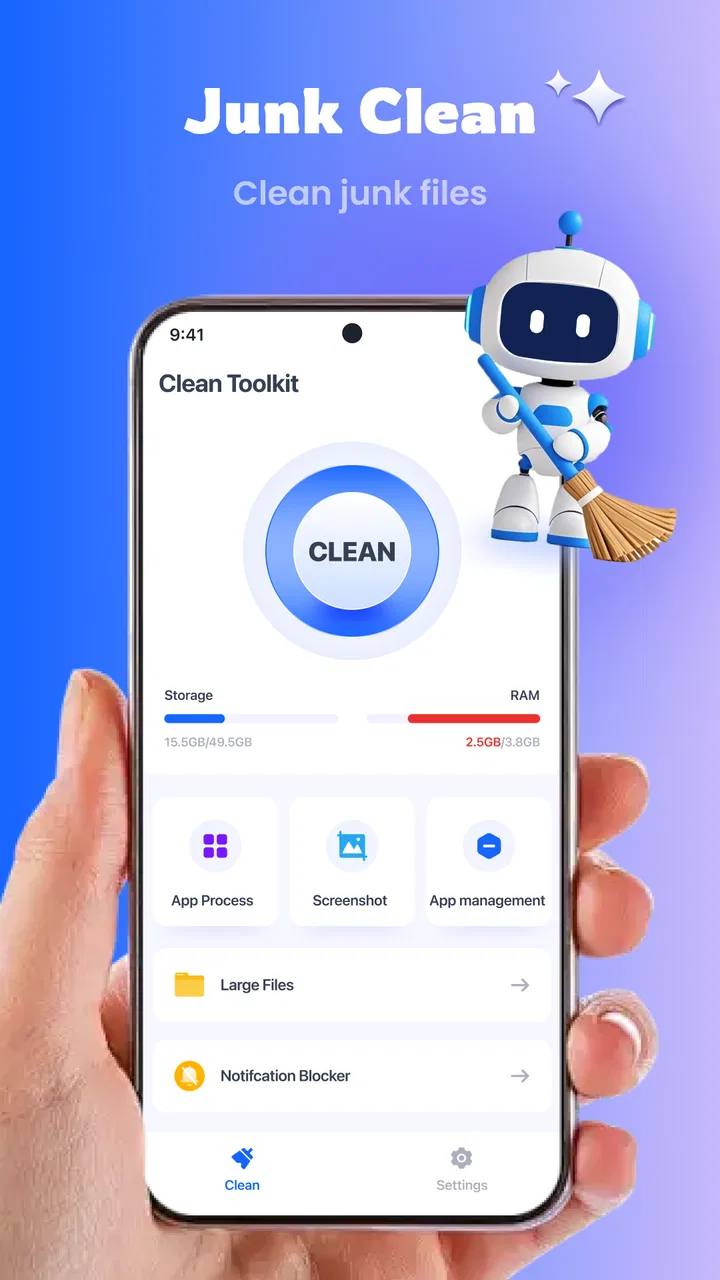
Clean Toolkit
- 4.1
- Rating
- 1.00M
- Installs
- Free
- Price

 Analysis by App-foxy
When a phone is shared around a household, clutter becomes everyone’s problem. One person downloads large files, another saves repeated images, and someone else keeps old leftovers from apps they no longer use. I tested Clean Toolkit as a general phone-cleaning app from StarsStars Vision, and I found its main appeal easy to understand: it puts routine storage maintenance into one place instead of making me jump between file folders, gallery views, and Android settings.
That convenience matters most on a shared device. I would not treat it as a magic button that makes every phone faster, but it can make the boring work of finding unnecessary material more approachable. The app is free, carries an Everyone content rating, and is aimed at ordinary Android users rather than technical enthusiasts. Its current version is 1.0.17, and it runs on Android 6.0 or later, which gives it a broad reach across older and newer phones.
How Clean Toolkit fits into a shared household phone
A realistic example is a family tablet or spare phone used by several people. After a few weeks, the gallery may contain screenshots from school messages, duplicate pictures sent through chats, downloaded documents, and videos that were useful once but are no longer needed. The person who notices the storage warning is then expected to sort everything out, even though they did not create most of the clutter.
You May Also Like

 Blood Strike: 2.5 Anniversary
Blood Strike’s Loadouts Turn Every Drop Into a Tactical Gamble
A close look at Blood Strike’s custom loadouts: how fast access to signature weapons reshapes its battle royale rhythm, rewards preparation, and narrows the gap between fights.

 Pandora - Music & Podcasts
Pandora’s Music Is Easy to Start, but Harder to Recover
Pandora’s strength is its low-effort path from a seed to a station. Its weak spot is how much confidence it asks you to place in connection, setup, and quiet recovery.

 8 Ball Pool
 Is Built on Rivalries, Rematches, and Routine
A close look at the rivalries, rematches, shared routines, and unanswered safety questions that turn a quick pool match into a persistent mobile community.

 Samsung Music
’s Quiet Strength Is Playing What You Already Own
Its reach comes less from spectacle than from dependable access to a personal library. That simplicity is both the app’s strongest retention engine and its ceiling.

 AccuWeather: Weather Radar
AccuWeather Review: A Quick, Clear Forecast for Everyday Decisions
For everyday plans, the best forecast is the one you can understand quickly. AccuWeather makes rain timing, radar, and local conditions easy to act on, with a few trade-offs.

 Hill Climb Racing
Why Hill Climb Racing Still Turns Crashes Into One More Run
A tiny car, a bumpy hill and one more upgrade: Hill Climb Racing keeps resurfacing because its simple chaos makes every near-miss feel personal.
More From Our News Desk



This is where I found the idea behind Clean Toolkit useful. Rather than asking each household member to understand Android’s storage categories, the app gives the maintenance task a single destination. I could approach the cleanup as a review session: inspect what has accumulated, decide what is genuinely disposable, and leave personal material alone. That last part is important. A cleaning tool should support a shared device without turning into an excuse to browse another person’s private files.
I would use it before a long trip, before downloading offline media, or when a shared phone starts showing low-storage warnings. I would not open it every day. Frequent cleaning can become counterproductive if people delete items they still need, and storage work is usually more effective when it is done deliberately rather than automatically.
The app’s store summary presents it as an all-around phone cleaning expert, but my practical interpretation is more modest and more useful: it is a central toolkit for reviewing phone clutter. That distinction helps set expectations. It can organize the process, but it cannot decide whether a family photo, a work attachment, or a child’s school file matters to you.
Starting without handing over the whole phone
My first recommendation is to establish ownership before pressing any cleanup action. On a shared device, the person holding the phone may not be the person who created the files. I would ask who uses the phone, identify folders or content that must remain untouched, and only then begin reviewing suggestions. This simple boundary is more valuable than speed.
Clean Toolkit is best approached as a review screen, not as an automatic permission to erase. When a cleaning app groups material by type, the grouping can make a large collection feel manageable, but the category alone does not explain the personal value of each item. A repeated image may be a duplicate, or it may be the only copy saved from an important conversation. A large download may be old, or it may be needed during travel.
That is the first non-obvious trade-off I noticed: the more convenient the cleanup view becomes, the more carefully I need to check context. On a personal phone, I can usually recognize my own files quickly. On a household phone, I have to pause and ask who might rely on them. The app reduces searching, but it does not remove the need for judgment.
I also prefer to clean in small rounds. I would begin with obvious temporary clutter, then review media and downloads separately. If the phone belongs to more than one person, I would stop after each group and let the relevant user confirm the decision. This workflow takes longer than tapping through everything at once, but it lowers the chance of an argument or an accidental loss.
Keeping account boundaries clear
One limitation of a general cleaner is that it sees the phone as a storage space, while a household sees it as a collection of personal areas. Clean Toolkit can be useful for the first problem, but it should not be mistaken for an account-management system. I would not use it to monitor another person’s activity, inspect their private material, or decide what belongs to them.
That matters especially when a device has several signed-in services. Downloads, images, and cached material may be connected to different accounts even when they appear on the same physical phone. Before removing anything, I would check whether the file is available elsewhere, whether it belongs to another user, and whether deleting it from local storage could affect an offline workflow.
For a household coordinator, the safest role is facilitator rather than administrator. I can show another person the cleanup results, explain why a category is taking space, and let them make the final choice. This makes the app suitable for helping a less technical relative without quietly taking control of their information.
Users who want strict separation between work, school, and personal content may prefer Android’s own user profiles, managed-device tools, or the storage controls built into individual services. Those options are better when the boundary itself is the priority. Clean Toolkit is more appropriate when everyone agrees to review the shared storage together.
Coordinating cleanup without making it a chore
The most effective household routine I found is short and specific. Instead of announcing that the phone needs a complete cleanup, I would choose one goal: free space for a trip, remove old downloads, or review a crowded media area. A narrow goal makes it easier for each person to participate and reduces the temptation to delete broadly.
I would also keep a simple verbal record of what was removed. This sounds old-fashioned, but it solves a real problem on shared devices: someone may look for a file later and assume it disappeared by mistake. Saying, “We cleared old downloads but kept the school folder,” creates a basic agreement without pretending that the app provides household coordination features.
Another useful workflow is to separate urgent and non-urgent cleanup. If the phone is nearly full, I would first look for material that is clearly replaceable or no longer needed. If there is no immediate pressure, I would postpone uncertain decisions and return to them with the right person present. This is a better use of a cleaning toolkit than treating every highlighted item as an emergency.
There is also a practical benefit for people who are not comfortable with Android’s settings. The app’s focused purpose can make the conversation less technical. Instead of explaining storage partitions or application data, I can guide someone through a visible review of what they recognize. That does not make every suggestion correct, but it makes the decision process easier to share.
At the same time, I would not promise that cleanup will transform performance. Removing unnecessary material may make room for new files and reduce storage pressure, but it is not a substitute for replacing an aging battery, updating a problematic app, or diagnosing a weak network connection. If a phone remains slow after sensible cleanup, the cause may be elsewhere.
Age, trust, and the Everyone rating
The Everyone rating makes Clean Toolkit approachable for a broad household audience, including families deciding whether a younger user can interact with it. I still would not leave a child to make unsupervised deletion decisions on a shared device. An age-appropriate interface does not mean every storage choice is age-appropriate.
For a younger user, I would turn the task into recognition rather than authority: ask them to identify their own obsolete screenshots or downloads, then have an adult confirm the final action. This teaches useful digital housekeeping while preserving a clear trust boundary. The app can be part of that lesson, but it should not become a hidden way to inspect someone’s personal content.
With older relatives, the value is different. I could use Clean Toolkit as a visual aid while explaining why a phone is full. The important rule would be to read each category together and avoid rushing through unfamiliar items. A person who is nervous about losing photographs needs reassurance and control more than an aggressive cleanup routine.
For teenagers, I would be especially careful around chat images, school documents, and downloaded media. These files can look disposable when viewed only by size or type. A shared-device agreement should make it clear that each person gets a chance to protect their own material. That agreement is a household practice, not a feature I would attribute to the app.
This is also where trust affects whether the app is the right choice. If members of the household do not agree about who may review storage, I would skip a shared cleanup session and use separate profiles or device-level boundaries instead. A convenient cleaner cannot solve a disagreement about privacy.
Where it beats ordinary Android cleanup tools
Android already includes storage management, and many phones also provide gallery tools for finding repeated or unnecessary media. Those built-in options are often the better first stop when I want the most direct connection to the operating system or a manufacturer’s file structure. They can also feel more trustworthy to users who prefer not to add another utility.
Clean Toolkit’s advantage is the single-purpose experience. Instead of remembering which settings page handles storage, which gallery view handles images, and which file manager handles downloads, I can start from one cleaning-oriented app. For a relative who finds system menus confusing, that simpler entry point may be worth more than having the most advanced controls.
The trade-off is that a third-party toolkit adds another layer between me and the phone’s files. I need to review its suggestions rather than assume that a highlighted item is worthless. I also would not install it merely because a phone has plenty of free space and an already comfortable file-management routine. In that situation, Android’s own tools may be enough.
Compared with a dedicated file manager, Clean Toolkit is less about manually navigating folders and more about helping me notice possible clutter. A file manager is better when I already know the exact location of a document or need to move files between folders. Compared with a gallery-only cleaner, this app makes more sense when my problem extends beyond photos and videos.
That comparison leads to a practical choice. Pick Clean Toolkit when the household wants a guided, centralized review. Pick built-in storage controls when system integration and minimal installation matter most. Pick a file manager when precision and folder ownership matter more than convenience. None of these choices is universally superior.
Small habits that make the app safer
I would keep three habits whenever I use it on a shared phone. First, review by person or purpose rather than by size alone. A large file is not automatically unnecessary, and a small file can be important. Second, handle uncertain items separately instead of mixing them with obvious clutter. Third, tell other users what was cleaned so they are not surprised later.
A fourth habit is to avoid cleaning immediately before someone needs the device. If a trip, presentation, exam, or family event is approaching, leave time to recover from a mistaken decision or discover that an offline file was needed. Cleaning is best done when the household has a calm moment, not under pressure from a nearly full storage warning.
I would also check the result after a cleanup session. If the phone still feels crowded, the issue may be a large media collection, an app that stores its own data, or files that need to be moved rather than deleted. This follow-up prevents the common mistake of repeating the same scan while ignoring the real source of storage use.
Finally, I would avoid treating the app as a privacy guarantee. A cleaner can help organize local storage, but it does not automatically establish separate accounts, protect every file from other users, or replace a backup strategy. If a photograph or document matters, I would make sure it exists in a safe location before removing any local copy.
Who should use it, and who should pass
I think Clean Toolkit is a good fit for Android users who want a straightforward way to review clutter, especially when a device is shared or used by someone who dislikes technical settings. It is also a reasonable option for people who want one starting point for storage maintenance rather than several unrelated tools.
I would be more cautious recommending it to power users who already understand their folder structure and prefer full manual control. They may find a guided cleaner less precise than the system file manager. I would also pass if the real need is parental supervision, account separation, encrypted storage, or a detailed backup workflow. Those are different problems, and a cleaning utility should not be stretched into solving them.
The app’s broad availability helps its case. It is free, has passed one million installs, and holds a 4.3 average from about 4.7 thousand ratings, with 312 written reviews. Those figures suggest that it has reached a substantial audience, but they do not remove the need to use it carefully on a multi-person phone. Popularity is not a substitute for checking what will be removed.
Because it was released on August 19, 2025, I would also approach it as a relatively young tool and keep my expectations practical. Its appeal is the focused cleaning workflow, not a long history of being the default household storage solution. I would use it gradually, learn how its review process fits my phone, and avoid giving it more authority than the task requires.
My household verdict
After using Clean Toolkit, I see it as a helpful organizer for phone maintenance rather than an automatic cure for every storage or performance problem. Its strongest use is a shared review: gather the people who use the device, agree on boundaries, inspect clutter in manageable groups, and let the owner of each file make the final decision.
I like that the app makes a neglected task feel more approachable, particularly for relatives who find Android’s settings difficult to navigate. I also appreciate that its usefulness does not depend on turning cleanup into surveillance. Used with consent, it can support a small household routine and help everyone understand why the phone is filling up.
My recommendation comes with one firm condition: treat every deletion as a decision, not a reward for tapping a button. If you need guided storage housekeeping and are comfortable reviewing suggestions, Clean Toolkit is worth trying. If you need strict account boundaries, advanced file control, or guaranteed privacy between users, choose a more specialized Android solution instead.
For a family or shared-device setting, that balanced approach is the right one. Clean Toolkit works best when it coordinates a conversation about storage, not when it replaces one.
FAQs for Clean Toolkit
01What is Clean Toolkit, and how does it work?
Clean Toolkit is a utility app designed to optimize and enhance the performance of your Android or iOS device. It works by cleaning junk files, managing apps, and freeing up RAM to ensure your phone runs smoothly. The app provides real-time monitoring and offers various tools for maintaining device health and performance.
02Is Clean Toolkit safe to use on my device?
Yes, Clean Toolkit is safe to use. The app is developed with user privacy in mind and does not access personal data without permission. It strictly adheres to platform guidelines for security and privacy, ensuring that your device's integrity is maintained while optimizing performance.
03Does Clean Toolkit require a subscription to access all features?
Clean Toolkit offers both free and premium versions. The free version includes basic cleaning and optimization features, while the premium version provides advanced tools such as deep cleaning, app management, and priority support. Users can choose a subscription plan that best fits their needs for enhanced functionality.
04Will Clean Toolkit significantly improve my device's battery life?
While Clean Toolkit can help improve battery life by closing unnecessary background apps and clearing cache, its primary function is device optimization. For significant battery improvements, it is recommended to combine the app’s features with good battery management practices, such as adjusting screen brightness and disabling unused features.
05How often should I use Clean Toolkit to maintain my device's performance?
For optimal results, it's recommended to use Clean Toolkit at least once a week. Regular use helps keep your device free from clutter and ensures it runs efficiently. However, users may adjust the frequency based on their device usage patterns and performance needs.
Pros
- Intuitive interface for easy navigation.
- Boosts device speed significantly.
- Comprehensive cleaning tools included.
- Battery saver feature extends usage time.
- Minimal ads for an uninterrupted experience.
Cons
- Limited free features
- requires in-app purchases.
- Occasional crashes on older devices.
- Some features need a stable internet connection.
- User data permissions might be a concern.
- Frequent notifications can be intrusive.

Clean Toolkit
Gallery